Install the free alpha on Windows
It always downloads the newest version. Its version number and SHA-256 checksum are on the release page.
Why the warnings?
The app is new, so your browser and Windows don't recognise it yet and treat it as unknown. Nothing is wrong with the file. You'll see the warnings once, when you first install it. We're looking at a Microsoft Store version, which will remove these warnings.
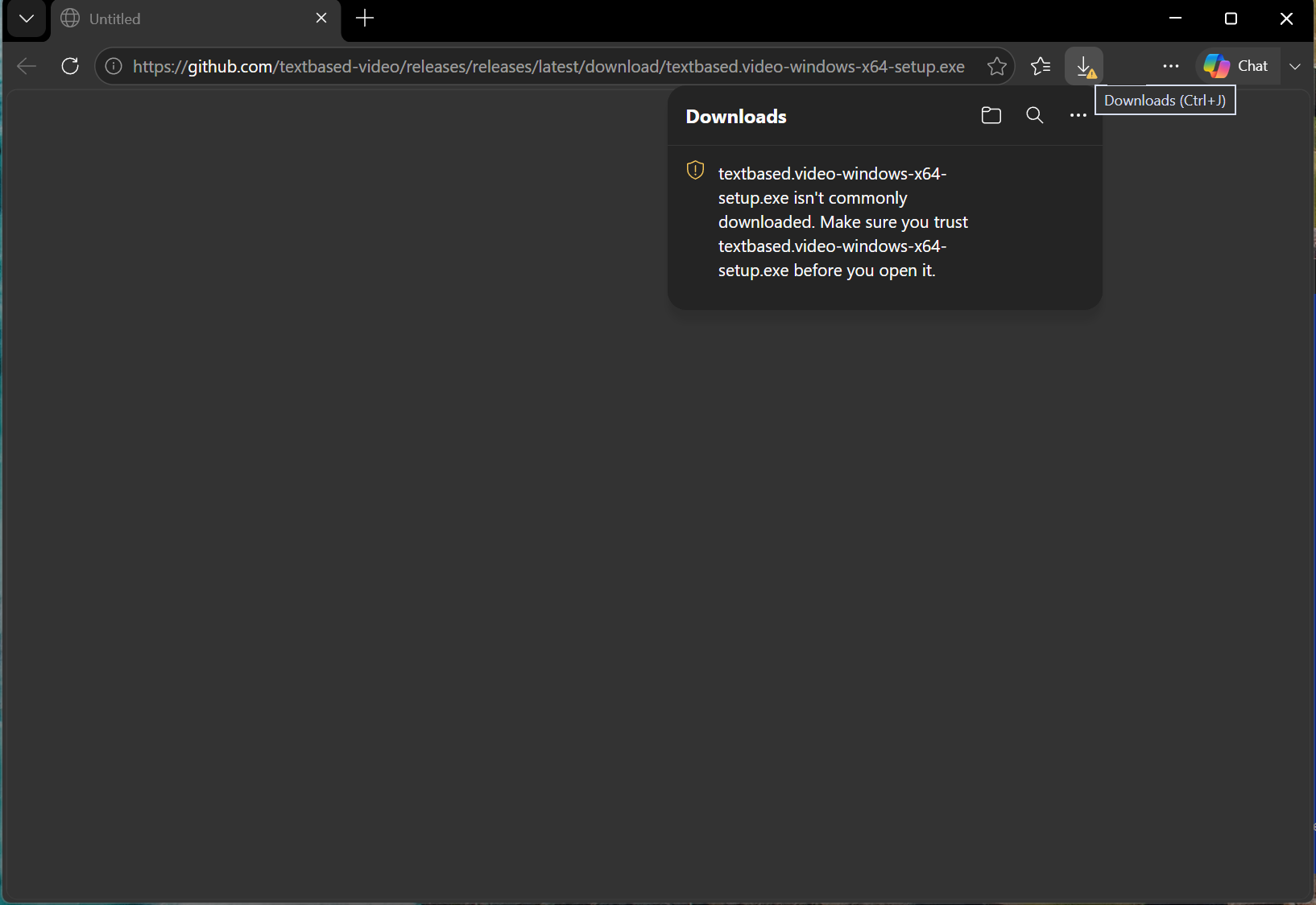
Step 1: keep the download
- Edge says the file isn't commonly downloaded. Point at the download and click ⋯ (More actions), then Keep.
- A box asks you to make sure you trust the file. Click the arrow next to Delete, then Keep anyway.
- Click Open file.
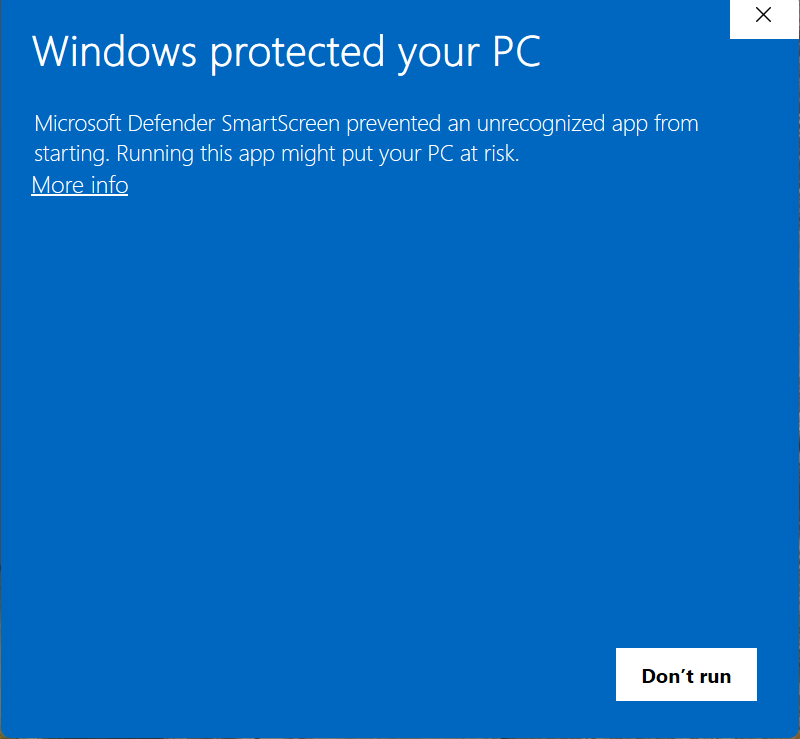
Step 2: get past “Windows protected your PC”
- When you open the file, Windows may show a blue box, Windows protected your PC. Click More info.
- It now shows Publisher: Unknown publisher. Click Run anyway.
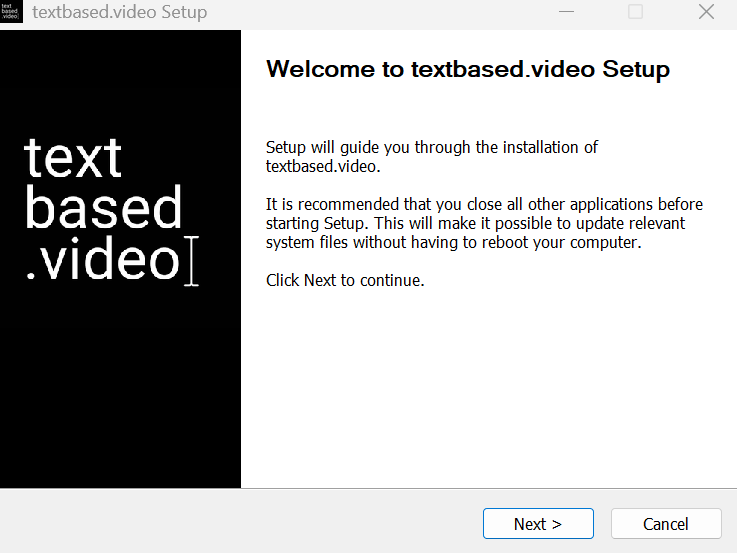
Step 3: install
Click Next through the installer. You can leave the install location as it is. On the last screen, leave Run textbased.video ticked and click Finish. It installs just for you, so it won't ask for an administrator password. The app opens, and next time you'll find it in the Start menu and on your desktop.
If something goes wrong
Windows blocks it with no “Run anyway”
That's Smart App Control, a Windows 11 setting that's on for some new PCs. While it's on, it blocks apps that aren't signed, with no way to allow one app. The only way to install textbased.video now is to turn it off: open Windows Security, then App & browser control, then Smart App Control settings, and choose Off. On some versions of Windows 11 it can't be turned back on without resetting Windows, so only do this on a computer where you're happy to. On a work computer where you can't change it, it won't install on that PC yet; a version that will is on the way.
It downloaded but nothing happens
Check your Downloads folder for the file and open it from there. If your browser is still holding it back, go back to step 1.
My antivirus removed it
Some antivirus tools quarantine new, unsigned apps. Restore the file from your antivirus's quarantine list, or allow it there, then open it again. If you'd like to check the file first, compare its SHA-256 with the one on the release page.
Updates
You only go through this once. When a new version is out, the app offers to Restart to update. It installs itself, with a small progress window for a few seconds, and you won't see these warnings again.
Still stuck? Email support@textbased.video.